? GitHub 项目:openai-assistants-quickstart
?仓库地址:https://github.com/openai/openai-assistants-quickstart
⭐ 明星:1966 | ? 作者:openai
? 项目描述:使用 Next.js 快速入门 OpenAI Assistants API。
===================================================
? 自述文件内容:
===================================================
# OpenAI 助手 API 快速入门
使用 OpenAI [Assistants API](https://platform.openai.com/docs/assistants/overview) 和 [Next.js](https://nextjs.org/docs) 的快速入门模板。
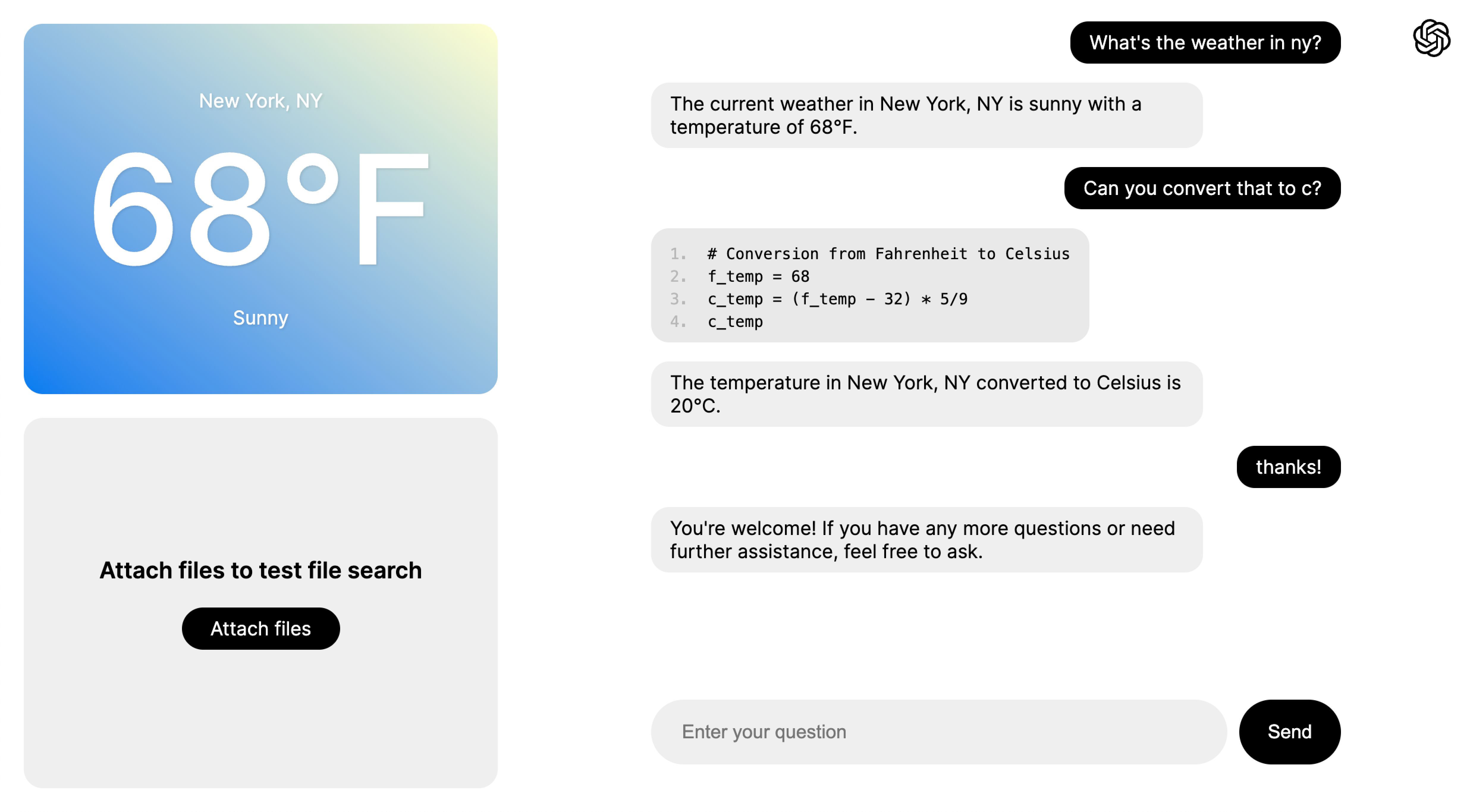
## 快速启动设置
### 1. 克隆存储库
````外壳
git 克隆 https://github.com/openai/openai-assistants-quickstart.git
cd openai-assistants-quickstart
````
### 2. 设置您的[OpenAI API密钥](https://platform.openai.com/api-keys)
````外壳
导出 OPENAI_API_KEY="sk_..."
````
(或者在“.env.example”中并将其重命名为“.env”)。
### 3.安装依赖项
````外壳
npm 安装
````
### 4.运行
````外壳
npm 运行开发
````
### 5. 导航到 [http://localhost:3000](http://localhost:3000)。
## 部署
您可以将此项目部署到 Vercel 或任何其他支持 Next.js 的平台。
[](https://vercel.com/new/clone?repository-url=https%3A%2F%2Fgithub.com%2Fopenai%2Fopenai-assistants-quickstart&env=OPENAI_API_KEY,OP ENAI_ASSISTANT_ID&envDescription=API%20Keys%20and%20Instructions&envLink=https%3A%2F%2Fgithub.com%2Fopenai%2Fopenai-assistants-quickstart%2Fblob%2Fmain%2F.env.example)
## 概述
该项目旨在作为在 Next.js 中使用 Assistants API 的模板,其中包括 [流](https://platform.openai.com/docs/assistants/overview/step-4-create-a-run)、工具使用 ([代码解释器](https://platform.openai.com/docs/assistants/tools/code-interpreter) 和 [文件搜索](https://platform.openai.com/docs/assistants/tools/file-search)),和[函数调用](https://platform.openai.com/docs/assistants/tools/function-calling)。虽然有多个页面来演示这些功能,但它们都使用相同的底层助手并启用了所有功能。
聊天的主要逻辑可以在 `app/components/chat.tsx` 中的 `Chat` 组件中找到,以及以 `api/assistants/threads` 开头的处理程序(在 `api/assistants/threads/...` 中找到)。请随意启动您自己的项目并复制一些此逻辑!如果您也从“app/components/chat.module.css”复制样式,则“Chat”组件本身可以直接复制和使用。
### 页数
- 基本聊天示例:[http://localhost:3000/examples/basic-chat](http://localhost:3000/examples/basic-chat)
- 函数调用示例:[http://localhost:3000/examples/function-calling](http://localhost:3000/examples/function-calling)
- 文件搜索示例:[http://localhost:3000/examples/file-search](http://localhost:3000/examples/file-search)
- 全功能示例:[http://localhost:3000/examples/all](http://localhost:3000/examples/all)
### 主要组件
- `app/components/chat.tsx` - 处理聊天渲染、[流](https://platform.openai.com/docs/assistants/overview?context=with-streaming) 和[函数调用](https://platform.openai.com/docs/assistants/tools/function-calling/quicks
智能AI
morning
GitHub 热门项目:openai-assistants-quickstart
摘要
GitHub项目:openai-assistants-quickstart。仓库地址:https://github。com/openai/openai-assistants-quickstart ⭐ Stars:1966 |。项目描述:OpenAI Assistants API quickstart with Next。
openai
assistants
https
com
API
2026-05-09
1 阅读
约8分钟阅读
GitHub Trending
字号:
这篇文章对您有帮助吗?
订阅66必读
每日精选科技资讯,直达你的邮箱