开源推荐
evening
GitHub 热门项目: xiaoya-alist
2026-07-23
1 阅读
约8分钟阅读
GitHub Trending
字号:
GitHub 项目:xiaoya-alist
仓库地址:https://github.com/xiaoyaDev/xiaoya-alist
星级:8363 | 作者:xiaoyaDev
项目描述:小雅阿里斯特的相关周边
===================================================
自述文件内容:

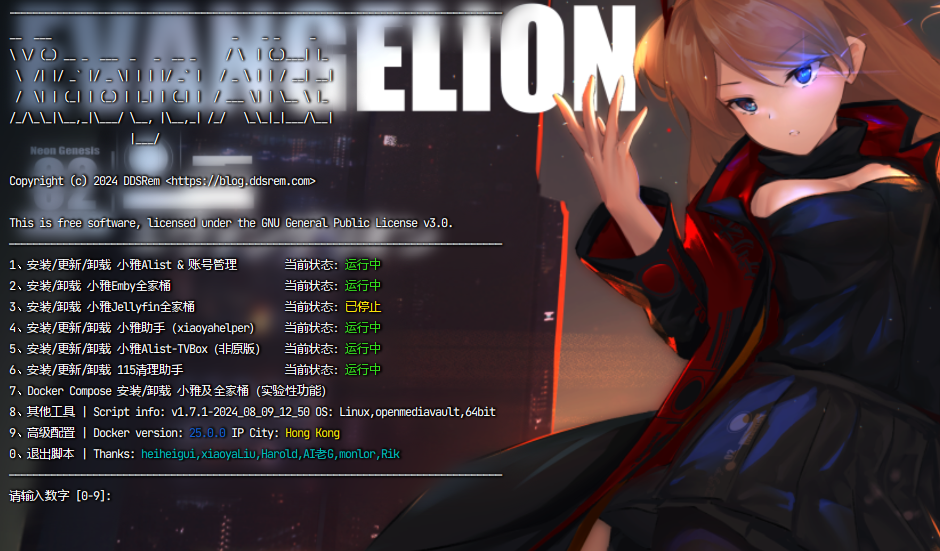
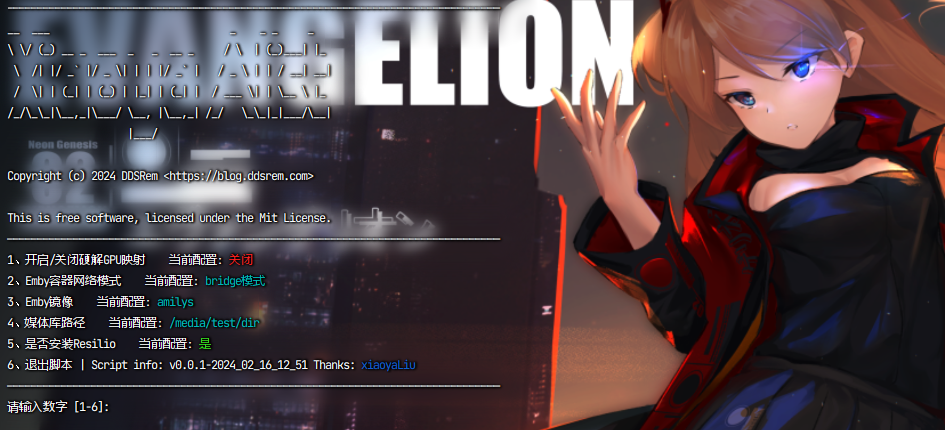
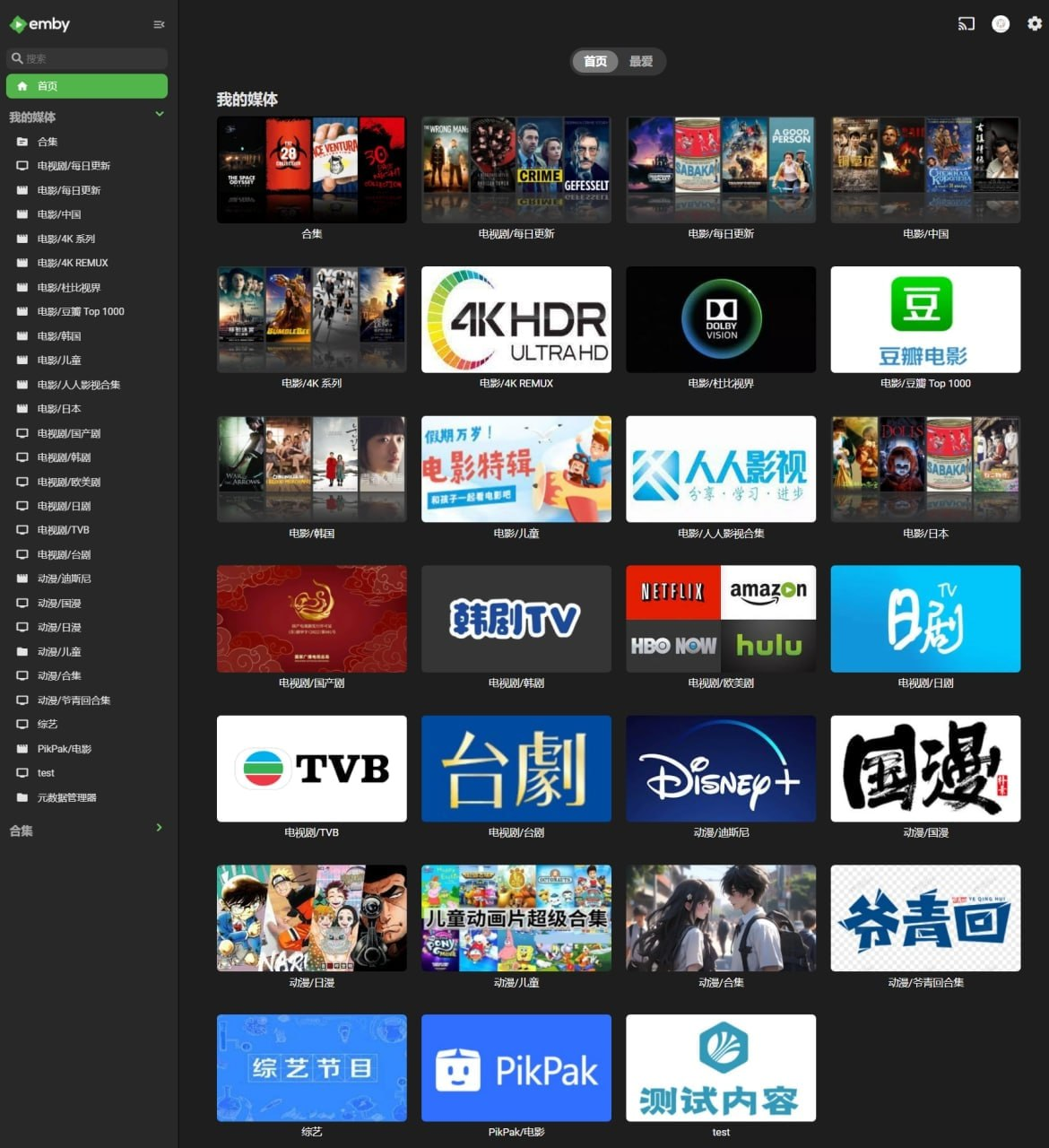

- [main.sh](#mainsh)
- [使用](#使用)
- [功能列表](#功能列表)
- [相关地址](#相关地址)
- [通用兼容性测试报告](#通用兼容性测试报告)
- [明星历史](#star-history)
- [小雅周边工具集合](#小雅周边工具集合)
- [感谢](#感谢)
- [转让](#转让)
- [许可证](#许可证)
- [附加条款](#附加条款)
- [免责声明](#免责声明)
## main.sh
> [!注意]
> 集成安装脚本,包含所有相关软件的安装。
### 使用
````外壳
bash -c "$(curl --insecure -fsSL https://ddsrem.com/xiaoya_install.sh)"
````
**备用地址**
````外壳
bash <(curl --insecure -fsSL https://ddsrem.com/xiaoya/all_in_one.sh)
````
````外壳
bash <(curl --insecure -fsSL https://fastly.jsdelivr.net/gh/xiaoyaDev/xiaoya-alist@latest/all_in_one.sh)
````
````外壳
bash <(curl --insecure -fsSL https://raw.githubusercontent.com/xiaoyaDev/xiaoya-alist/master/all_in_one.sh)
````
````外壳
bash -c "$(curl --insecure -fsSL https://fastly.jsdelivr.net/gh/xiaoyaDev/xiaoya-alist@latest/main.sh)"
````
````外壳
bash -c "$(curl --insecure -fsSL https://raw.githubusercontent.com/xiaoyaDev/xiaoya-alist/master/main.sh)"
````
### 功能列表
> [!注意]
> 数字代表先选x,再选x,再选x
>
> PS: 2 2 8代表先选2,再选2,最后选8
**普通功能**
```shell
———————————————————————————————————————安装———————————————————————————————————————
安装 小雅Alist -> 1 1
安装 Emby全家桶(一键) -> 2 1
安装 小雅元数据定时爬虫 -> 2 5 1
安装 小雅元数据爬虫(Web 版本)-> 2 6 1
安装/更新 小雅助手(xiaoyahelper)-> 3 1
安装 115清理助手 -> 4 1
安装 Portainer -> 5 1 1
安装 Auto_Symlink -> 5 2 1
安装 Onelist -> 5 3 1
安装 Xiaoya Proxy -> 5 4 1
安装 Xiaoya aliyuntvtoken_connector -> 5 5 1
安装 小雅Alist-TVBox -> 5 6 1
安装 LrcAPI -> 5 7 1
安装 CasaOS -> 5 8 1
——————————————————————————————Emby手动全家桶配置————————————————————————————————————
单独 下载并解压 全部元数据 -> 2 2 1
单独 解压 全部元数据 -> 2 2 2
单独 下载 all.mp4 -> 2 2 3
单独 解压 all.mp4 -> 2 2 4
解压 all.mp4 的指定元数据目录【非全部解压】-> 2 2 5
单独 下载 config.mp4 -> 2 2 6
单独 解压 config.mp4 -> 2 2 7
单独 下载 115.mp4 -> 2 2 8
单独 解压 115.mp4 -> 2 2 9
解压 115.mp4 的指定元数据目录【非全部解压】-> 2 2 10
单独 下载 蓝光原盘.mp4 -> 2 2 11
单独 解压 蓝光原盘.mp4 -> 2 2 12
单独 下载 json.mp4 -> 2 2 13
单独 解压 json.mp4 -> 2 2 14
单独 下载 music.mp4 -> 2 2 15
单独 解压 music.mp4 -> 2 2 16
单独 下载 短剧.mp4 -> 2 2 17
单独 解压 短剧.mp4 -> 2 2 18
选择 下载器【aria2/wget】-> 2 2 19
单独 安装Emby(可选择版本,支持官方,amilys,lovechen)-> 2 3
图形化编辑 emby_config.txt -> 2 4
小雅爬虫 立刻爬取指定目录 -> 2 5 4
小雅爬虫 容器定时爬取目录单独配置 -> 2 5 5
小雅爬虫 清理爬虫进程锁 -> 2 5 6
小雅爬虫 重置爬虫数据库 -> 2 5 7
一键升级Emby容器(可选择镜像版本) -> 2 7
开启/关闭 解压成功后自动清理 mp4 元数
这篇文章对您有帮助吗?
订阅66必读
每日精选科技资讯,直达你的邮箱